Detailed totals
Keep flight-hour data connected to aircraft, airports, crew, sectors, simulator work, night time calculations, and training context instead of isolated totals.
 MyLog
MyLog Flight hours tracker
MyLog helps pilots record flight hours with the operational context that matters: aircraft, airports, crew, block times, PIC, IFR, night, simulator work, limits, roster progress, and remarks.
Keep flight-hour data connected to aircraft, airports, crew, sectors, simulator work, night time calculations, and training context instead of isolated totals.
Track monthly planned versus actual hours and sectors, completion rates, official EASA or FAA limits, and personal or company-specific limits.
Use recorded hours, aircraft experience, endorsements, Crew Documents, and previous experience to support resume-ready pilot career records.
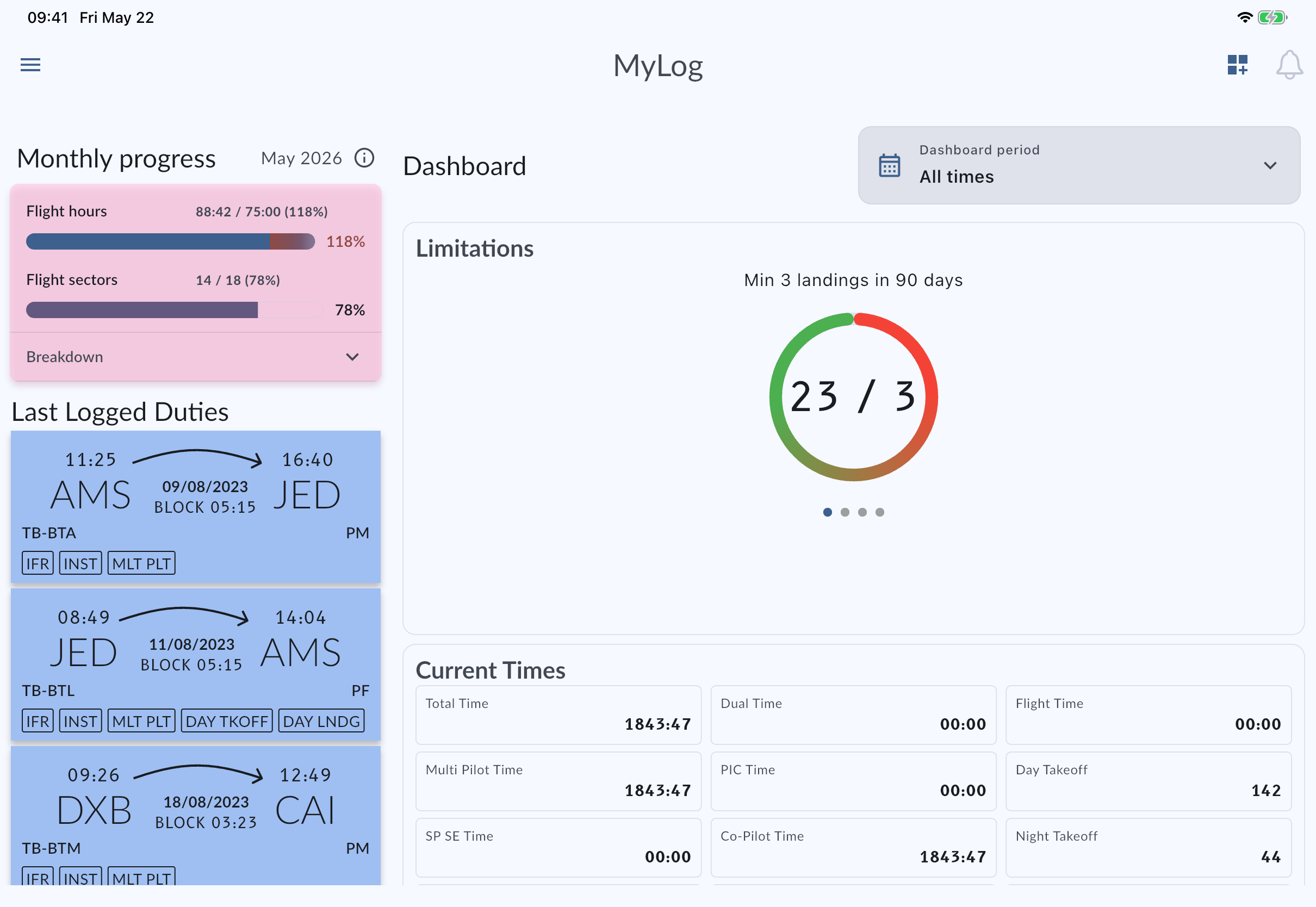
Enter aircraft, times, crew, night, and remarks so hour totals remain traceable later.
Compare planned versus actual hours or sectors and keep official, personal, or company limitation context nearby.
Carry trusted totals into PDF/Excel exports, EASA-ready or FAA-compatible outputs, and resume-ready career records.
Continue with official MyLog pages that explain the product, supported platforms, and pilot record workflows.
A flight hours tracker is most useful when totals can be traced back to the records behind them. MyLog keeps hours connected to aircraft, airports, crew, simulator sessions, remarks, night calculations, sectors, custom fields, and previous experience. That makes it easier to understand where a total came from, compare aircraft or simulator experience, review recent activity, and prepare summaries without manually reconciling a separate spreadsheet against a logbook export.
Pilots often need more than lifetime hours. MyLog can help compare planned and actual monthly hours or sectors, keep official and personal limitation context visible, and carry useful totals into resume-ready records. When hours, endorsements, Crew Documents, aircraft experience, simulator work, and exports live in the same system, the data stays useful for training reviews, company workflows, applications, and personal record keeping.
A total hour number is only as trustworthy as the entries behind it. MyLog encourages pilots to keep each flight tied to aircraft, route, crew, time fields, remarks, and operational context so totals can be reviewed later with less guesswork. This is especially useful when a pilot wants to separate aircraft experience, check simulator time, understand monthly flying, or prepare records for a company, school, authority, or future employer.
Yes. MyLog records flight hours with aircraft, airport, crew, time, night, simulator, limit, monthly progress, and remark details.
Yes. MyLog supports simulator session logging alongside flight records.
Yes. MyLog helps pilots maintain career-ready records and resume artifacts.